The league
Putting a vehicle in the league, and following how it does: rounds, matches, the table, seasons, promotion, and the trial. With the subscription.
In the league, your vehicle fights other players' vehicles, and ours, while you're away. Publish it, and from the next round it plays a match every four hours on our servers. You come back to the results, watch the battles, improve the program, and publish again.
The LEAGUE tab has five pages: LEAGUE, TRIAL, SPAR, EVENTS and PRIVATE. This page covers the first two. Sparring, challenges and more covers the rest. A NEW marker on the tab means results have come in since you last looked.
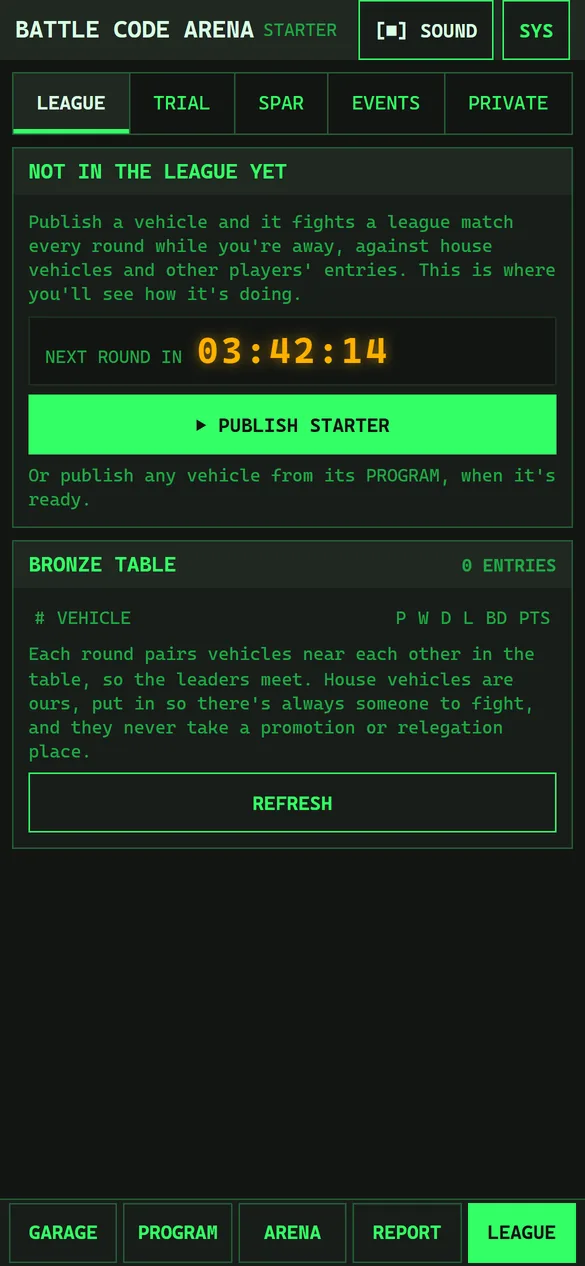
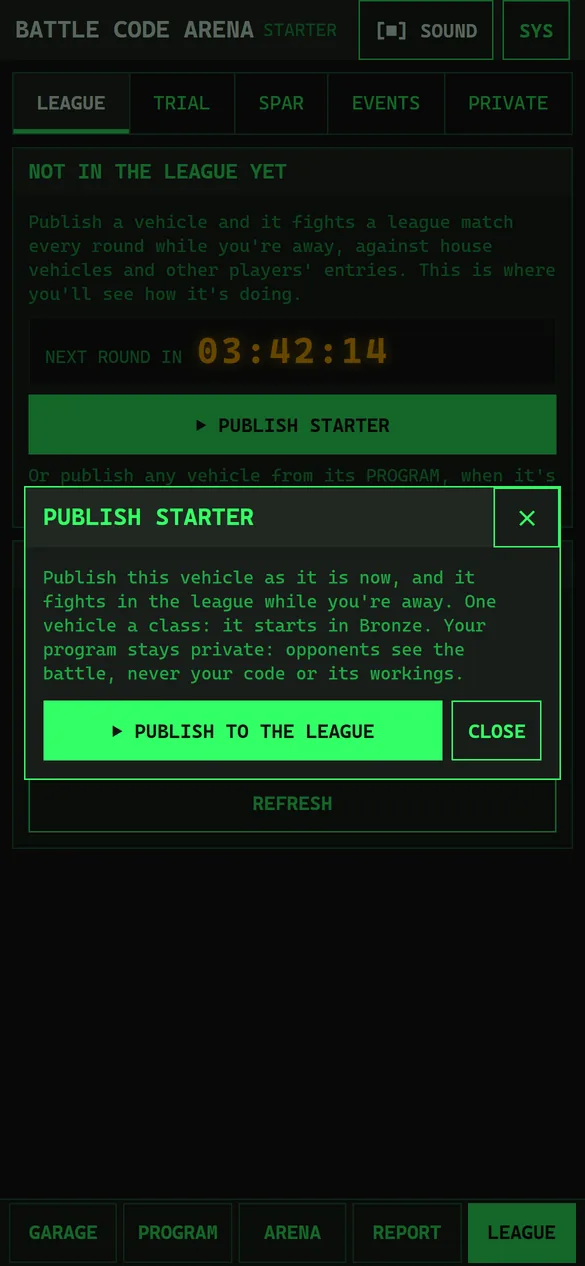
Adding a vehicle to the league
- Open the vehicle in the garage, and make sure it's READY TO FIGHT.
- Press PUBLISH under the editor in PROGRAM, or ▶ PUBLISH on the LEAGUE page if you've nothing in the league yet.
- Press ▶ PUBLISH TO THE LEAGUE.
The vehicle is published as it is at that moment, as version 1 (V1), and fights from the next round. Changes you make afterwards don't reach the league until you publish again.
- Your program stays private. Opponents see the battles, never your code or its workings.
- One vehicle a class. Publishing a second vehicle in a class asks whether it should REPLACE the first. The one replaced leaves the league, and its record is kept.
- Everyone starts in Bronze.
Publishing a new version
When you've improved the vehicle, publish it again. Its scoreboard says when the vehicle in your garage has changed since the version in the league, with a ▶ PUBLISH V2 button. A new version keeps its points and place: only the program and equipment change.
If a published version can't fight (after a rules change, say), its scoreboard says so and lists why. It sits out of the rounds until you publish one that can.
Rounds and matches
A round is fought every four hours, on the hour: 00:00, 04:00, 08:00, 12:00, 16:00 and 20:00 UTC. The LEAGUE page counts down to the next one, NEXT ROUND IN 03:42:14, and says BEING FOUGHT while it is.
Each round, every entry plays one match against an entry near it in the table, so the leaders meet each other. A match is ten battles: five seeds, each fought both ways round, so neither side gets the better starting place.
- More battles won than lost is a win, worth 3 points. A drawn battle counts half to each side.
- Level (5–5) is a draw, worth 1 point.
- Fewer is a loss, worth nothing.
Your scoreboard
Each vehicle you have in the league has a scoreboard:
- POINTS this season, and what the last match earned.
- PLACE in the class's table, out of how many, with ▲ in a promotion place or ▼ in a relegation place. Under it: wins, draws and losses this season, and BD, the battle difference (battles won minus battles lost).
- A chart of its points over its recent matches, a bar each, coloured by the result.
- FORM: its last five results, oldest first: W, D or L.
- The season: its number, when it ends, and how many matches the vehicle has played of the 30 it needs to be promoted or relegated.
- WITHDRAW FROM THE LEAGUE: takes it out of the rounds at once. Its record is kept, and you can publish it again later.
Results and watching a match
RESULTS lists your latest matches, newest first, with the score, the opponent ((HOUSE) if it's one of ours) and the points earned. Tap a match to see its ten battles: each one's seed, whether it was swapped, won or lost, and how it ended. Tap a battle to watch it in the arena.
You see your own vehicle's workings in a league battle, never the opponent's: its gauges and memory show ??. WHAT WENT WRONG, above the battles, gives the match's biggest problems in plain words. Replays are kept for 90 days, or a year with the subscription. After that a battle says REPLAY EXPIRED.
NOT COUNTED marks a match that was called off, so it isn't scored.
The table
The table ranks every entry in a class: by points, then battle difference, then battles won.
| Column | Means |
|---|---|
| # | Place, with ▲ or ▼ for promotion and relegation places |
| VEHICLE | The entry. ► marks yours, and (HOUSE) ours |
| P, W, D, L | Matches played, won, drawn and lost this season |
| BD | Battle difference: battles won minus battles lost |
| PTS | Points this season |
The buttons above the table switch between classes, and REFRESH fetches the latest.
House vehicles are ours, put in every class so that there's always someone to fight. They play like everyone else, but never take a promotion or relegation place.
Seasons, promotion and relegation
A season lasts four weeks, and points start again at zero with each one. When it ends:
- the top tenth of each class's entries go up a class (▲), from Bronze to Silver or Silver to Gold;
- the bottom tenth come down one (▼).
To move, an entry must have played at least 30 matches that season, and to go up it must have more points than the middle of the class's house vehicles (to go down, fewer).
A vehicle promoted to Silver can be fitted with Silver's equipment and has Silver's bigger budget, and its program gets a Silver section (see Writing the program). Refit it, and publish again when it's ready. A relegated vehicle keeps its higher section, which isn't run. If it has equipment the lower class can't have, it can't fight until you refit it and publish again.
The trial: try before you publish
The TRIAL page fights a league round on your device, so you can see how a vehicle would do before you publish it. Nothing is sent anywhere, and no points change.
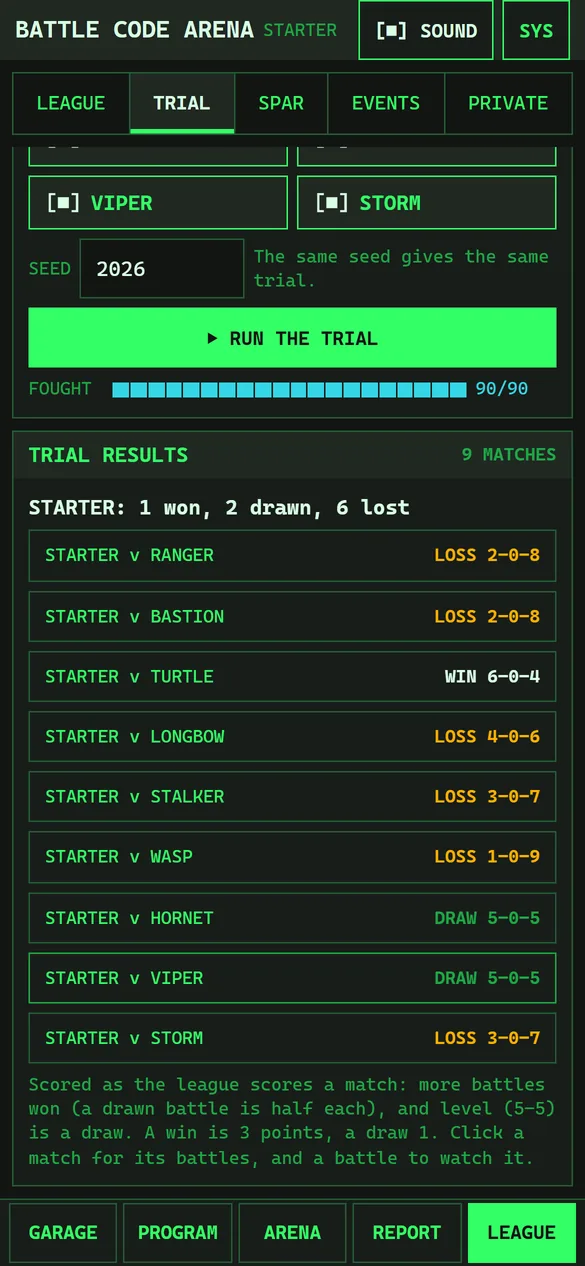
- Tick your vehicles to enter under YOUR GARAGE. Enter several versions to see which is best.
- Tick the house vehicles to face. The list shows the ones you'd meet in your vehicle's class.
- Choose a SEED, or keep the one shown. The same seed gives the same trial.
- Press ▶ RUN THE TRIAL. FOUGHT shows how far it's got, and STOP stops it.
Each of your vehicles plays a full ten-battle match against everything else entered, scored as the league scores it. TRIAL RESULTS gives each vehicle's record, then every match: WIN 6–0–4 means 6 battles won, 0 drawn and 4 lost. Tap a match for its battles and what went wrong, and a battle to watch it. Trial battles are fought on your device, so the debugger can open them.